Editing a Unit of Measure
Edit a UOM Abbreviation
After a unit of measure has been defined, you cannot change its abbreviation. Therefore, if you want to change the abbreviations for units of measure from the SI or English defaults, you need to delete the unit of measure and then re-add it with the new abbreviation. Note that you can also add the unit of measure under a different long name.
 EXAMPLE: Adding a unit of measure under a different long name
The following is an example of adding add unit "square centimeter-std" with the abbreviation "cm2-std".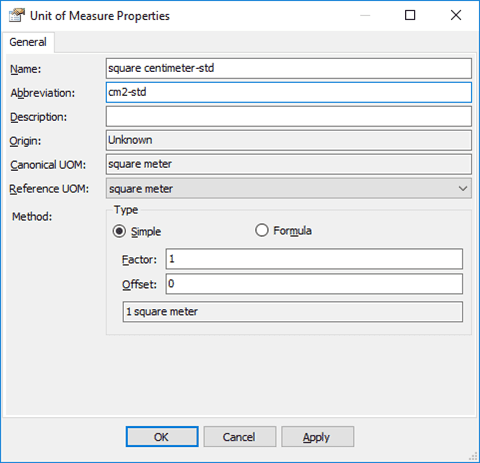
Edit a UOM Description ONLY
To edit a unit of measure's Description:
- Follow the same steps as defined for Examining a Unit of Measure to open the Unit of Measure Properties window.
- In the Unit of Measure Properties window, in the Description box, highlight the current description and type your new description in its place.
- Click OK to save the UOM with the new description.